How Shopping Vector Pack 02 Expands Your Visual Toolkit
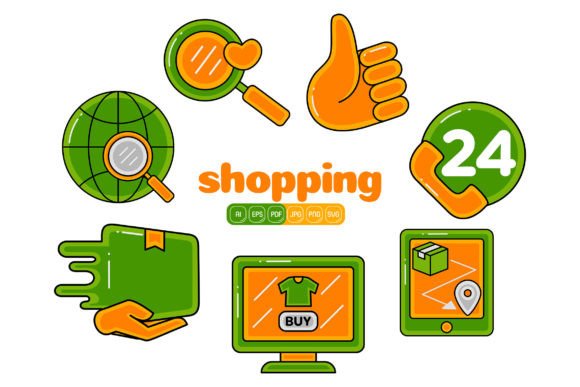
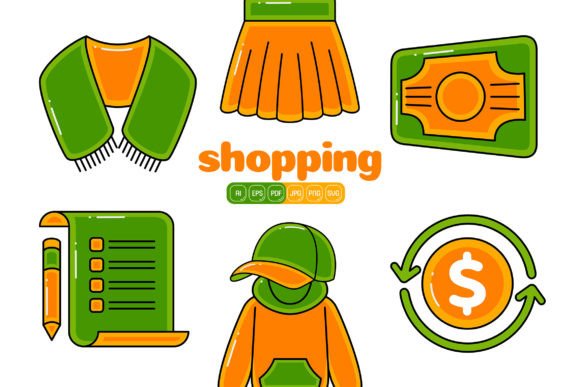
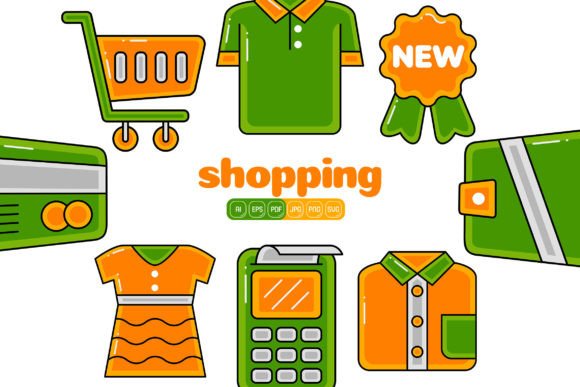
Communicating ideas through crisp, scalable imagery has never been more vital, and Shopping Vector Pack 02 steps into this space with a collection of 100 meticulously structured flat design illustrations. Every element is built from adjustable geometric shapes, making it possible to create countless visual variations for business branding, infographics, social media, promotion, website hero sections, landing pages, banners, and beyond. The pack’s editable nature means you can resize artwork, change colors of each individual shape, and combine components to build entirely original compositions without starting from a blank canvas.
Inside the Collection
The delivery includes six practical formats that cover every stage of a project. You receive Adobe Illustrator AI files as the primary editable source, along with EPS and PDF versions for wider compatibility. SVG files ensure smooth integration into web and interface design, while high‑resolution JPG and PNG exports—each sized at 4000 by 4000 pixels—provide ready‑to‑use raster graphics. The PNGs carry a transparent background, making them ideal for overlaying on photographs or patterned backdrops. All 100 illustrations share a consistent flat design language grounded in bold colors and stripped‑back geometry, which keeps them visually harmonious when used side by side.
Why Flat Design Vectors Work Across Mediums
Flat design removes unnecessary texture and shading, leaving behind only the essential forms that communicate a concept instantly. Combined with a vector structure, this aesthetic yields graphics you can scale to billboard dimensions or compress into a mobile icon without sharpness loss. Shopping Vector Pack 02 leverages both traits, giving you artwork that feels contemporary and can be handed off as clean SVG code to a web developer or dropped into a presentation slide at full clarity. Selecting any geometric portion and altering its fill color lets you adapt an illustration to an existing color palette in seconds, rather than hours of reworking.
Effortless Customization for Branding Projects
Consistency across brand assets demands flexibility at the asset level. A designer working in Adobe Illustrator can open a shopping cart illustration, ungroup the shapes, and replace generic colors with a company’s defined brand hues. The same edit can be applied to figures, payment icons, price tags, and abstract commerce symbols included in the pack. By saving a customized library of these elements, a brand builds a proprietary icon set for newsletters, client decks, and social templates. Because each PNG version has a transparent background, placing an illustration over a hero image or textured header on a website becomes a single drag‑and‑drop step.
Building Infographics That Tell a Story
Data‑heavy content gains clarity when paired with visual metaphors. An analyst might take a hand‑holding‑credit‑card image, a delivery box, and a percentage icon from the pack and position them alongside bar charts to create a cohesive infographic. Color‑coding these graphics to match data categories—such as using teal for revenue and coral for expenses—strengthens the narrative. The 4000‑pixel dimensions ensure that even when the infographic is exported as a full‑width web graphic or a printable PDF, every detail remains crisp. Merging elements from separate illustrations, like floating a coin symbol above a shopping bag, yields custom metaphors without needing advanced illustration skills.
Speed and Impact in Social Media Campaigns
Social media managers often juggle multiple visual variations for A/B testing and seasonal promotions. A template for a flash sale can feature a flat design cart filled with packages, recolored in seconds to match autumn tones, then swapped to neon shades for a summer clearance. Exporting the same artwork as an SVG makes subtle animations possible in video editing tools. For retargeting banners, the percent‑off tag illustration from the pack can be recolored to mirror the campaign’s font color, while surrounding abstract shapes shift to complementary accents. Transparent PNGs come into play again here, layering cleanly over lifestyle photos without hard borders.
Assembling New Illustrations From Existing Pieces
A distinguishing advantage is the ability to disassemble and recombine. A creative lead might extract a person silhouette from one file, a shopping cart from another, and circular payment icons from a third, then stitch them into a customer journey scene. Because all assets share the same flat design principles, the final composition looks intentionally designed rather than pieced together. This modular approach multiplies the practical asset count well beyond the initial 100, giving agencies and in‑house teams a flexible toolkit for tutorial graphics, onboarding sequences, or interactive web illustrations.
Navigating the File Formats
Choosing the right format for each deliverable streamlines your pipeline:
- AI (Adobe Illustrator) — Retains full editability for deep customization, including path adjustments and typography layering.
- EPS — Wide backward compatibility; favored by many print providers and older design suites.
- PDF — Convenient for client proofs and inserting into documents without resolution concerns.
- SVG — Web‑ready code that responds to CSS and JavaScript, perfect for interactive dashboards.
- JPG (4000×4000 px) — Lightweight raster for quick placements where a solid background is acceptable.
- PNG (Transparent, 4000×4000 px) — Ideal for overlays, video thumbnails, and any design with a variable backdrop.
Real‑World Performance at 4000 Pixels
At 300 DPI, a 4000×4000 pixel raster prints up to roughly 13 by 13 inches without interpolation—ample for brochures, flyers, and signage. On digital screens, these dimensions surpass the requirements of high‑PPI retina displays, guaranteeing sharpness on phones, tablets, and laptops. The vector AI and SVG files have no pixel constraints at all, so a trade show banner or window graphic can be output at full size with perfect edge fidelity.
Who Benefits Most
While experienced graphic designers will appreciate the organized layer structure and time savings in Adobe Illustrator, the pack also empowers non‑designers. Small business owners can drag transparent PNGs into Canva or a similar tool to create a promotional post over a product photo. Content creators can embed the SVG versions into blog headers or video overlays with minimal fuss. Educators explaining e‑commerce concepts can enliven slides with universally understandable shopping symbols. Hobbyists interested in digital scrapbooking or printable decor can resize and print the illustrations for personal projects, secure in the knowledge that no pixelation will occur.
Smart Customization Practices
When working with the AI files, ungroup an illustration to reveal all discrete shapes. Use global color swatches in Illustrator or Affinity Designer to change every instance of a specific hue across the entire document at once. If you need a new layout, copy a shape from one illustration and paste it into another—the unified flat style keeps everything looking cohesive. For web projects, export to SVG and experiment with CSS hover effects on individual paths, such as changing a price tag’s color on mouseover, to inject interactivity without altering the original vector data. Always retain an untouched copy of the master AI file so you can revert after extensive experimentation.
Maintaining Cohesion Across Channels
A strict two‑ or three‑color brand palette applied consistently across multiple illustrations from the pack creates a unified visual identity for a landing page, email series, or Instagram grid. Because the flat design language is inherently clean, the danger of visual clutter is low even when combining several assets. A series of blog posts can each feature a different illustration from the collection, forging a recognizable yet non‑repetitive signature. The ability to recolor down to the smallest shape means you never have to accept an asset that only nearly matches your guidelines.
Adapting to Modern Workflows
Marketing teams that manage multiple channels can maintain a master folder of customized vector assets and export platform‑specific variants on demand. A single AI file can generate a 1200×1200 pixel social square, a 1920×600 hero banner, and a print‑ready PDF flyer, all from one source. The flat design foundation allows easy integration of brand typography and surrounding layout without style collisions. Pre‑sized raster versions let copywriters or social coordinators drop icons into presentations without opening vector software, while designers hold the fully editable master files for deeper revisions.
Exploring the 100 illustrations reveals a library that supports visual storytelling across industries and scales with the user’s ambition. The combination of high resolution, full editability, and a unified flat aesthetic provides a practical launching point for anyone who needs to produce polished commercial graphics with efficiency.